
Microsoft has announced that the foundational Secure Boot certificates used since 2012 will expire starting in June 2026. This global expiration affects both physical and virtual environments, potentially leading to boot failures and security vulnerabilities if not addressed. In this article, we will cover the essential steps to renew Secure Boot certificates on VMware-hosted Microsoft Virtual Machines, ensuring your infrastructure remains compliant and secure beyond the 2026 deadline.
For vSphere 7.0
Check the UEFI CA 2023 status.
Get-ItemPropertyValue -Path "HKLM:\SYSTEM\CurrentControlSet\Control\SecureBoot\Servicing" -Name "UEFICA2023Status"
Check if Windows UEFI CA 2023 exists.
[System.Text.Encoding]::ASCII.GetString((Get-SecureBootUEFI db).bytes) -match 'Windows UEFI CA 2023'
Run the following command to start the Secure Boot certificate renewal.
reg add HKEY_LOCAL_MACHINE\SYSTEM\CurrentControlSet\Control\Secureboot /v AvailableUpdates /t REG_DWORD /d 0x5944 /f
Run the Secure-Boot-Update task.
Start-ScheduledTask -TaskName "\Microsoft\Windows\PI\Secure-Boot-Update"
Check Windows UEFI CA 2023 again.
[System.Text.Encoding]::ASCII.GetString((Get-SecureBootUEFI db).bytes) -match 'Windows UEFI CA 2023'
Check the UEFI CA 2023 status again. Verify it is InProgress.
Get-ItemPropertyValue -Path "HKLM:\SYSTEM\CurrentControlSet\Control\SecureBoot\Servicing" -Name "UEFICA2023Status"
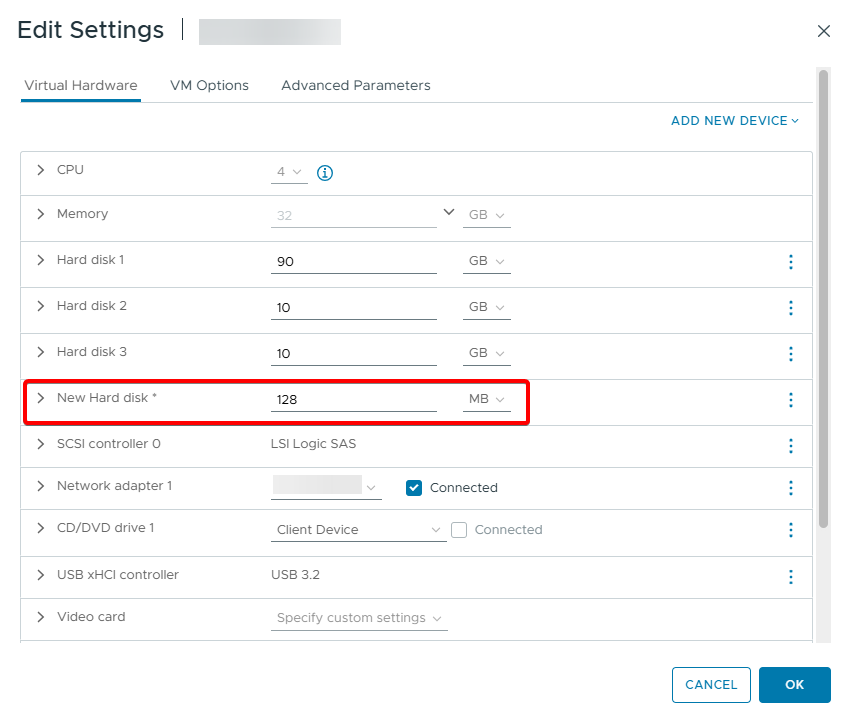
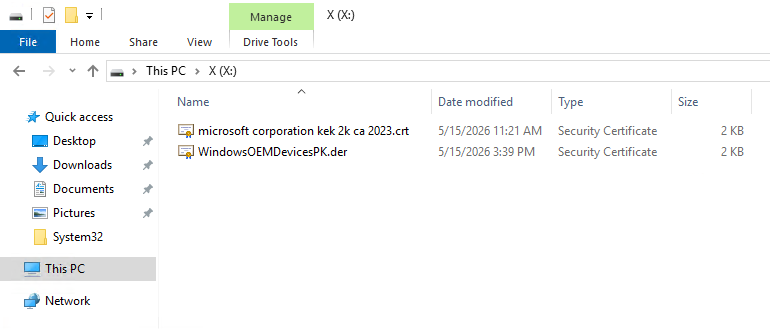
Add a new 128 MB disk.
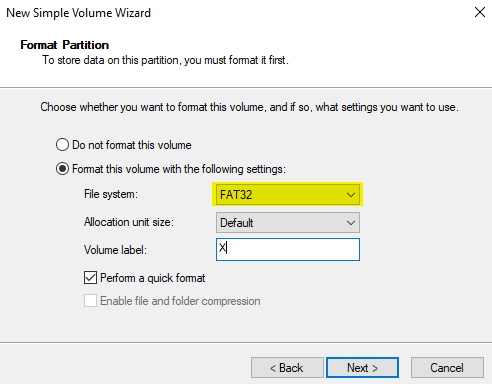
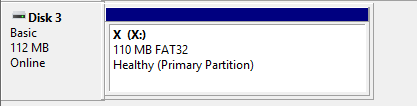
Format this disk as FAT32.
PK (Platform Key)
Download WindowsOEMDevicesPK.der
KEK (Key Exchange Key)
Download Microsoft CA 2023 KEK
Save the PK(Platform Key) and KEK(Key Exchange Key) certificates to this disk.
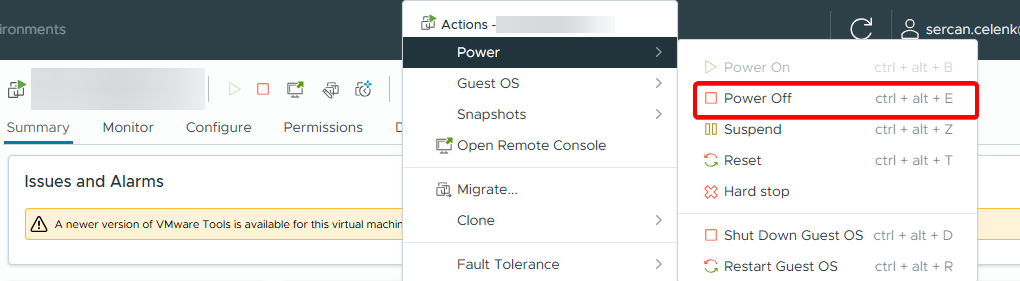
Power off the virtual machine.
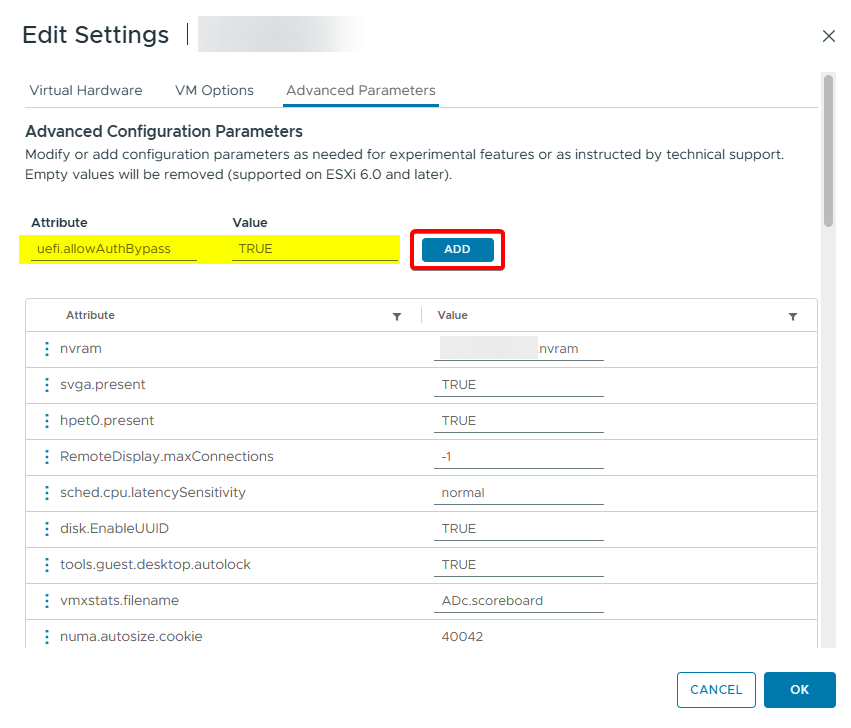
Open the Advanced Parameters of the virtual machine.
Add the value uefi.allowAuthBypass TRUE.
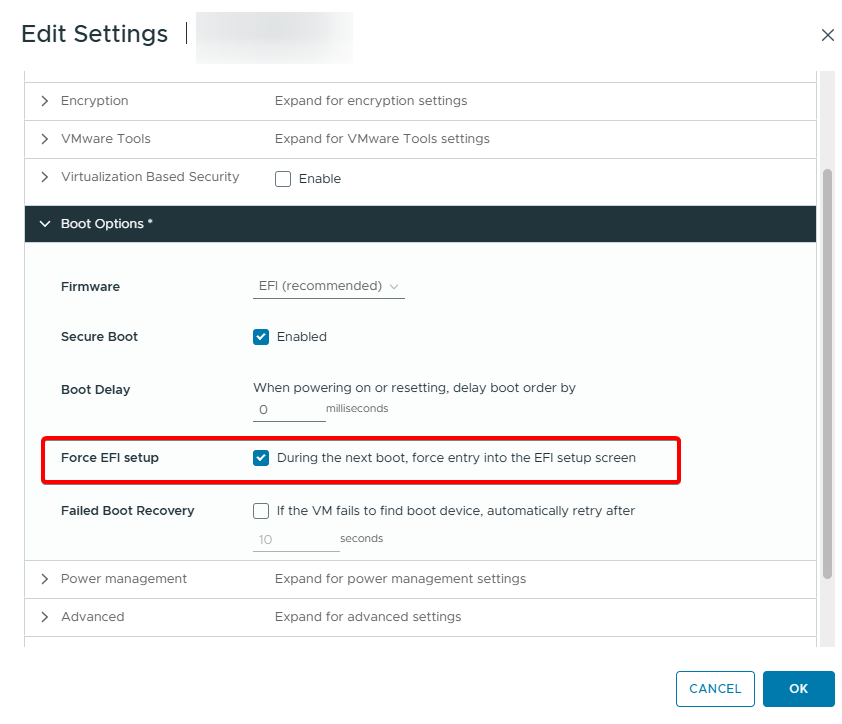
Enable the Force EFI Setup option in Boot Options.
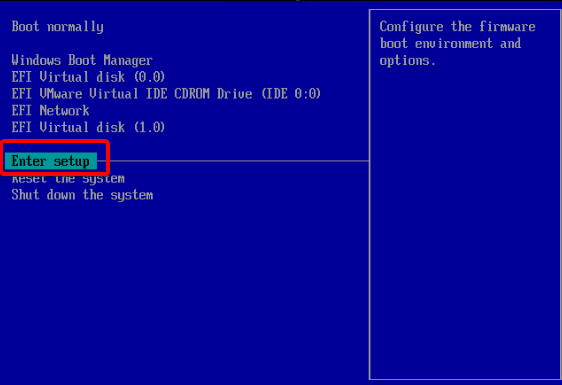
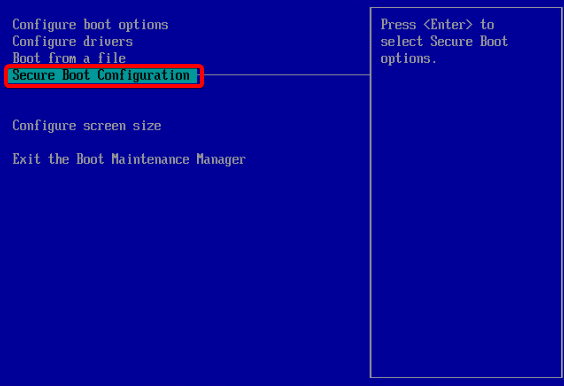
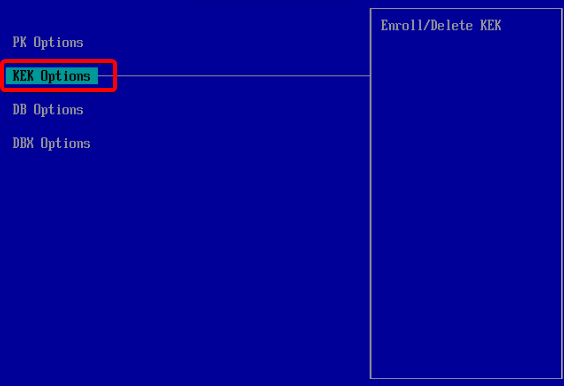
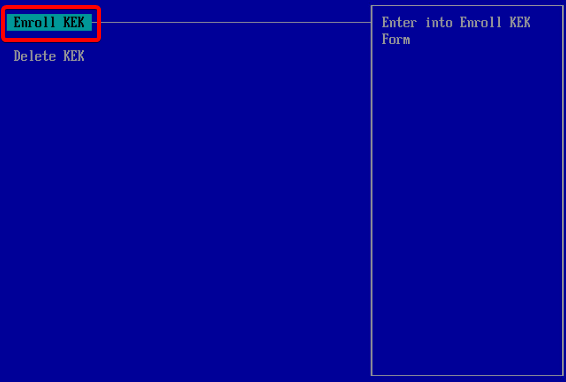
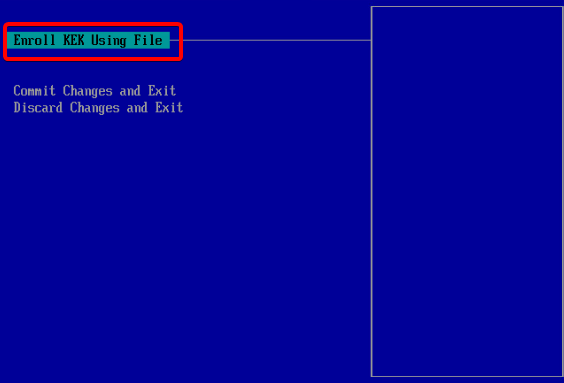
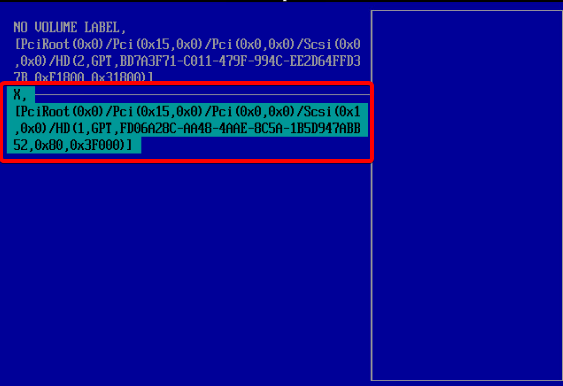
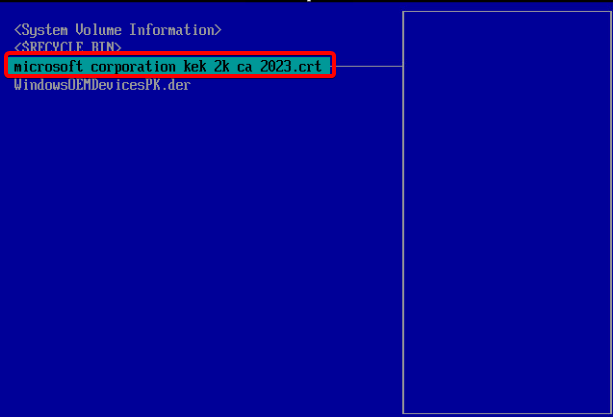
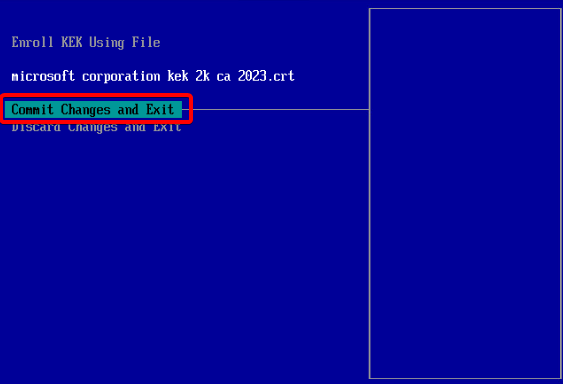
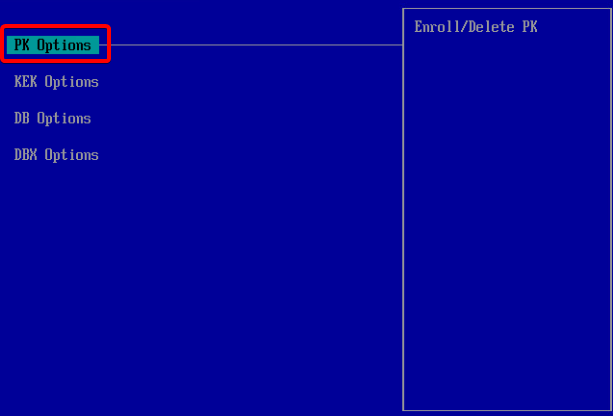
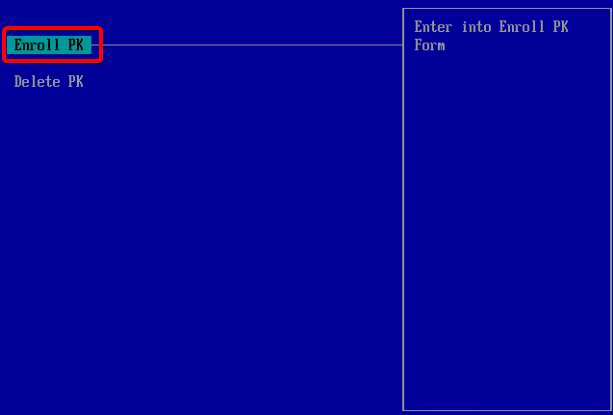
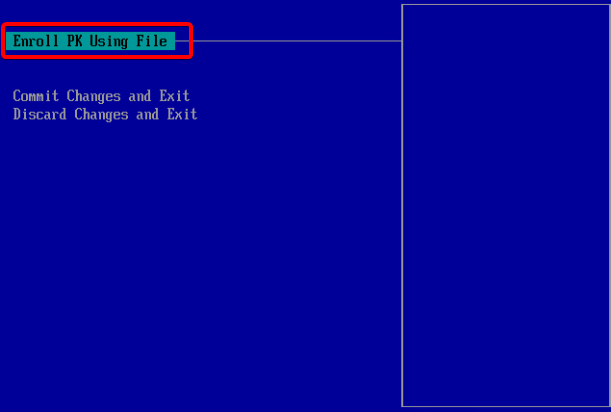
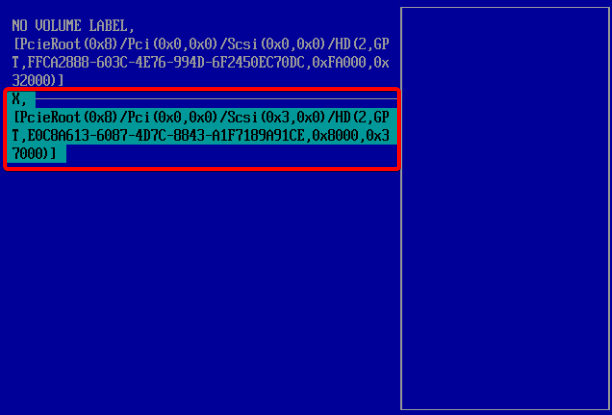
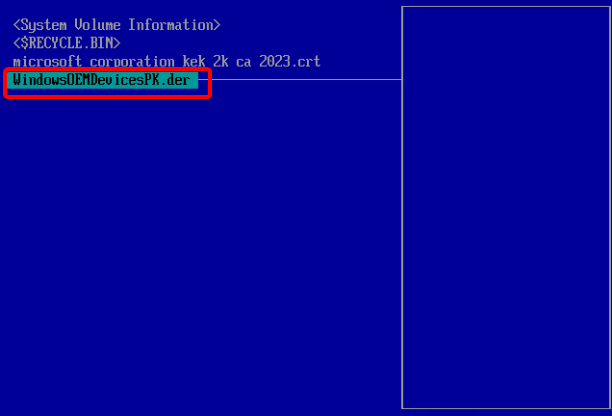
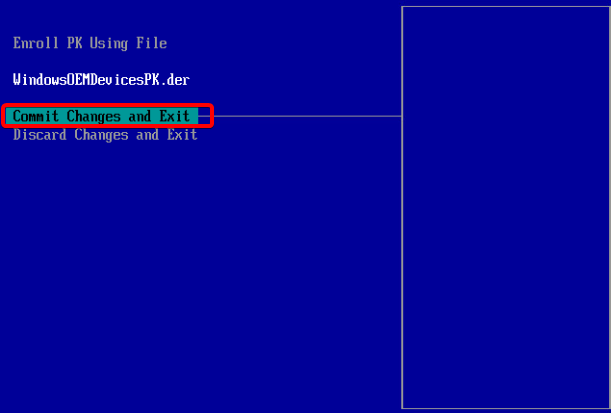
Power On the virtual machine.
Then, run the following commands.
reg add HKEY_LOCAL_MACHINE\SYSTEM\CurrentControlSet\Control\Secureboot /v AvailableUpdates /t REG_DWORD /d 0x5944 /f
Start-ScheduledTask -TaskName "\Microsoft\Windows\PI\Secure-Boot-Update"
Attention
 After the last command finishes, restart the virtual machine twice.
Get-ItemPropertyValue -Path "HKLM:\SYSTEM\CurrentControlSet\Control\SecureBoot\Servicing" -Name "UEFICA2023Status"
[System.Text.Encoding]::ASCII.GetString((Get-SecureBootUEFI KEK).bytes) -match "Microsoft Corporation KEK 2K CA 2023"
The Secure Boot certificate has been updated successfully.
For vSphere 8.0
We developed the attached PowerCLI Automation Script. It runs concurrently across all VMs regardless of their VLAN network, following these steps:
1-Triggers update tasks inside the OS.
2-Shuts down the VM, takes a fallback snapshot, and refreshes the .nvram file.
3-Performs a 3-cycle sequential reboot to seal the new certificates into the firmware.
4-Validates the final status and generates a CSV report on the desktop.
Important Note: For the script to execute commands inside the OS via vCenter, providing the Local/Domain Administrator credentials of the target VMs is mandatory.
https://drive.d724cloud.com/index.php/s/bzXnTDbCiTKrkcg

