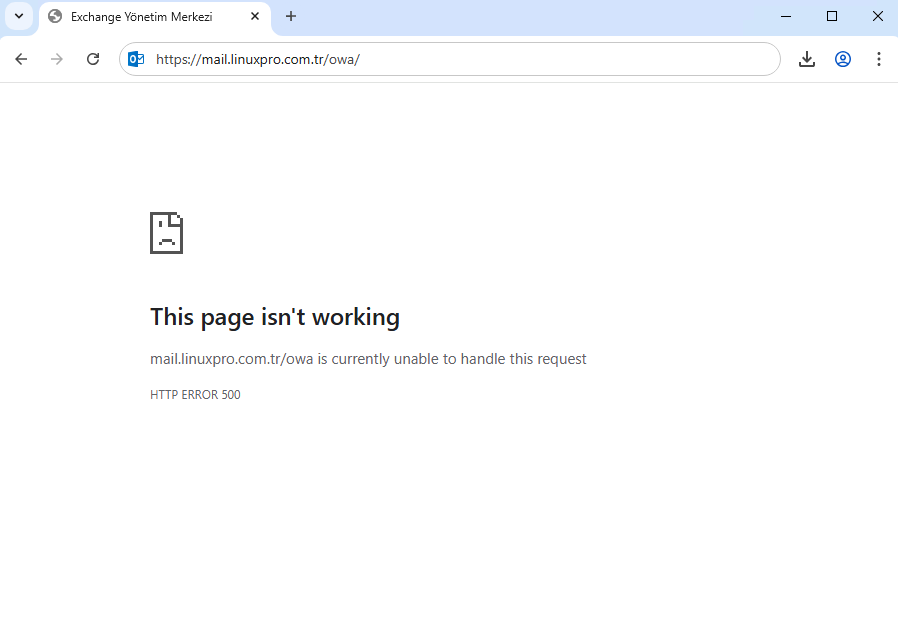
An error occurred while creating the IIS virtual directory
The AD configuration for virtual directory ‘owa’ already exists in “CN=HTTP,CN=Protocols,CN=EXCHANGE01,CN=Servers,CN=Exchange Administrative Group (FYDIBOHF23SPDLT),CN=Administrative
Groups,CN=vmware,CN=Microsoft Exchange,CN=Services,CN=Configuration,DC=vmware,DC=local” , please remove this AD configuration manually.
Note:Do not use IIS Manager to remove the Exchange virtual directory. Utilize the Exchange Management Shell for a clean and supported removal process.
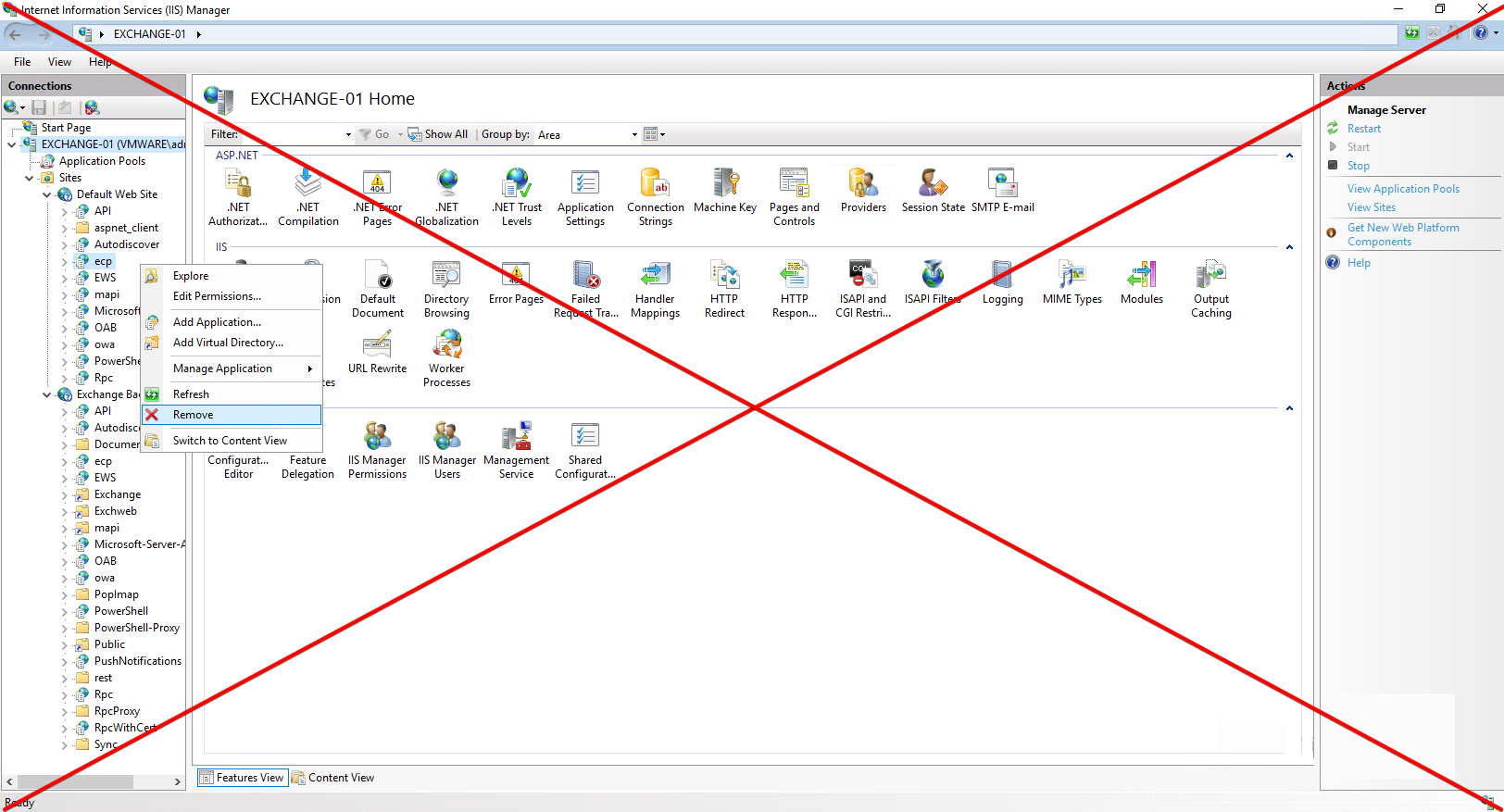
Option 1: Clear OWA/ECP virtual directory with Exchange Management Shell
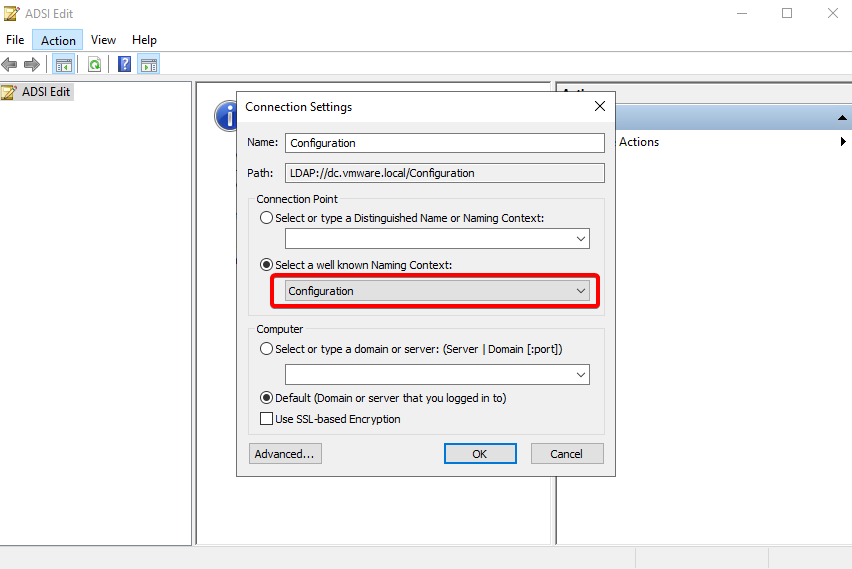
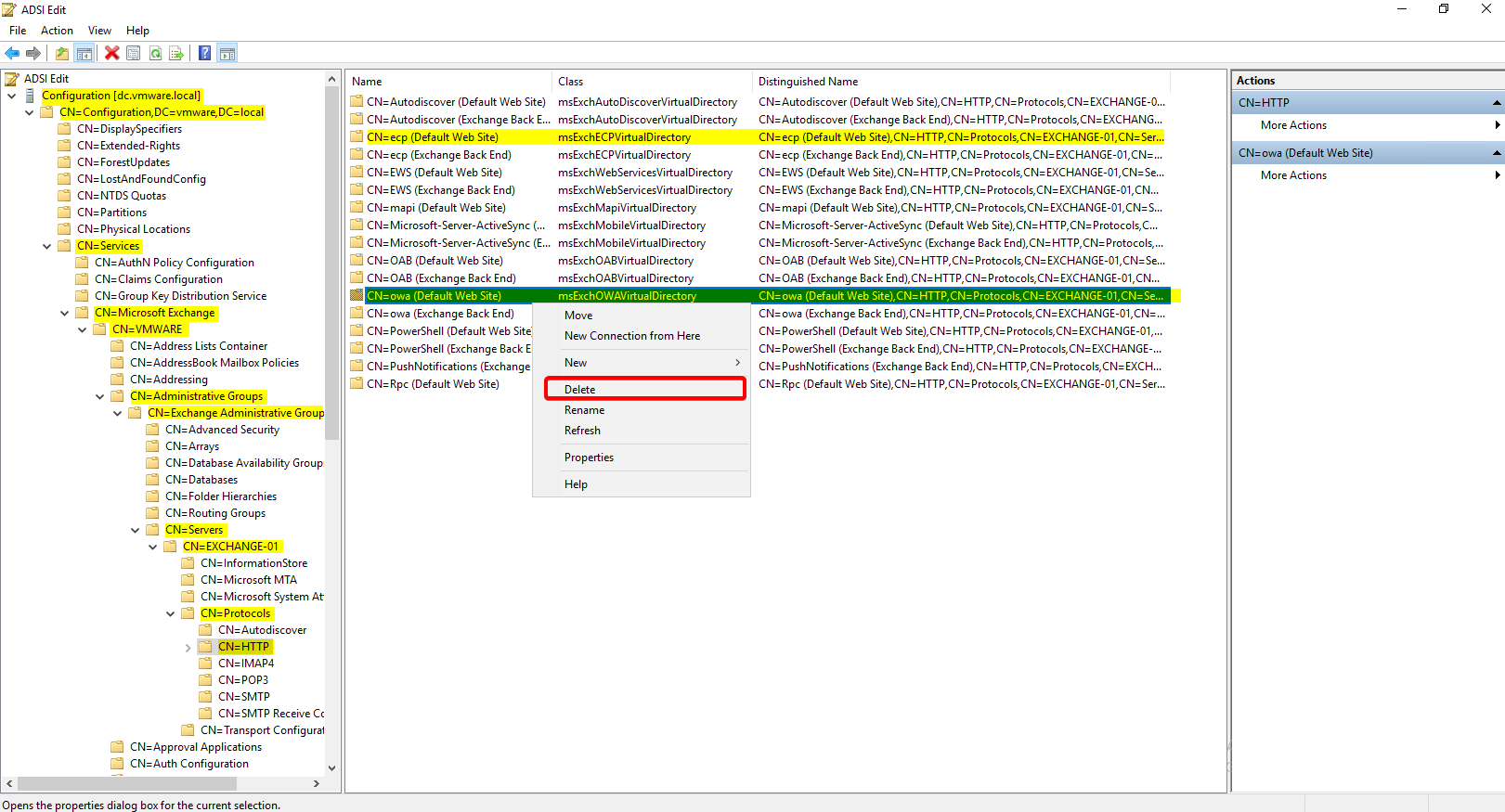
[PS] C:\>Remove-OwaVirtualDirectory -Identity "EXCHANGE01\owa (Default Web Site)" -Confirm:$false[PS] C:\>Remove-EcpVirtualDirectory -Identity "EXCHANGE01\ecp(Default Web Site)" -Confirm:$falseOption 2: Manually delete the OWA virtual directory via ADSI Edit
Up next: Re-creating the Exchange virtual directory via Exchange Management Shell.
Unfortunately, the process may trigger another error: An error occurred while creating the IIS virtual directory.
New-OwaVirtualDirectory -Server "EXCHANGE01" -InternalUrl "https://mail.linuxpro.com.tr/ecp" -ExternalUrl "https://mail.linuxpro.com.tr/ecp"
The AD configuration for virtual directory 'owa' already exists in 'CN=owa (Default Web
Site),CN=HTTP,CN=Protocols,CN=EXCHANGE01,CN=Servers,CN=Exchange Administrative Group (FYDIBOHF23SPDLT),CN=Administrative
Groups,CN=vmware,CN=Microsoft Exchange,CN=Services,CN=Configuration,DC=vmware,DC=local', please remove this AD
configuration manually.
Parameter name: VirtualDirectoryName
    + CategoryInfo          : InvalidArgument: (EXCHANGE01\owa (Default Web Site):ADObjectId) [New-OwaVirtualDirectory],
    ArgumentException
    + FullyQualifiedErrorId : [Server=EXCHANGE01,RequestId=b17941d0-7003-4bd3-bf8e-ac3a6856304f,TimeStamp=02/03/2026 11:10
   :05 PM] [FailureCategory=Cmdlet-ArgumentException] 175231A,Microsoft.Exchange.Management.SystemConfigurationTasks.N
  ewOwaVirtualDirectory
    + PSComputerName        : EXCHANGE01.vmware.local
Resolving the “an error occurred while creating the IIS virtual directory” Error
Cause:
The error occurs because of leftover entries in the IIS MetaBase. If we had removed the virtual directory directly through EMS, this error wouldn’t have happened.
Set up Microsoft Metabase Explorer version 1.6
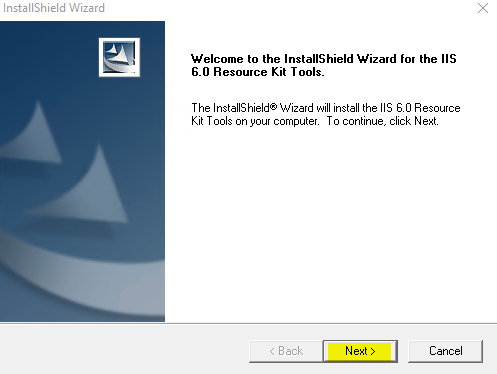
Download the IIS 6 Resource Kit from [Microsoft] or via this link. Once downloaded, proceed to install Microsoft Metabase Explorer 1.6 on the Exchange Server.
Alternative 1:https://www.microsoft.com/en-us/download/details.aspx?id=5135
Alternative 2: https://s8.sercancelenk.com/s/E6BBrAtrmWTaNgL/download/iis60rkt.exe
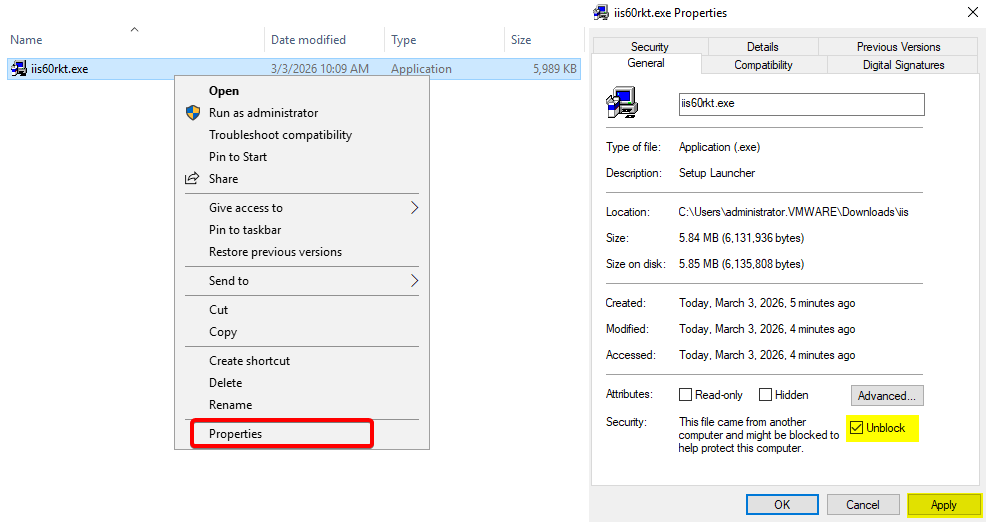
Right-click iis60rkt.exe and select Properties. If present, check the “Unblock” box and click OK to apply the changes.
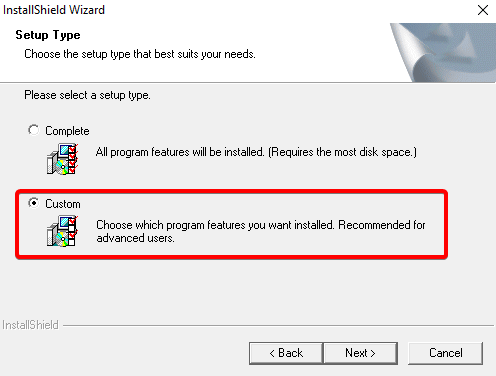
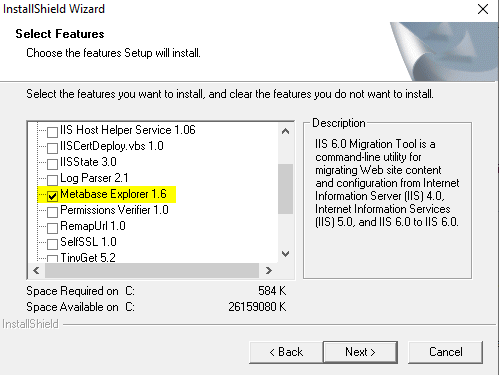
Uncheck all features except Metabase Explorer 1.6, then click Next to proceed.
Run Metabase Explorer
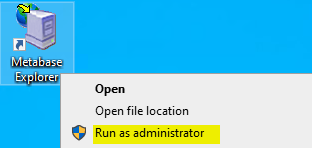
Run Microsoft Metabase Explorer 1.6. Check if you encounter the following prompt: “The feature .NET Framework 3.5 couldn’t be installed.”
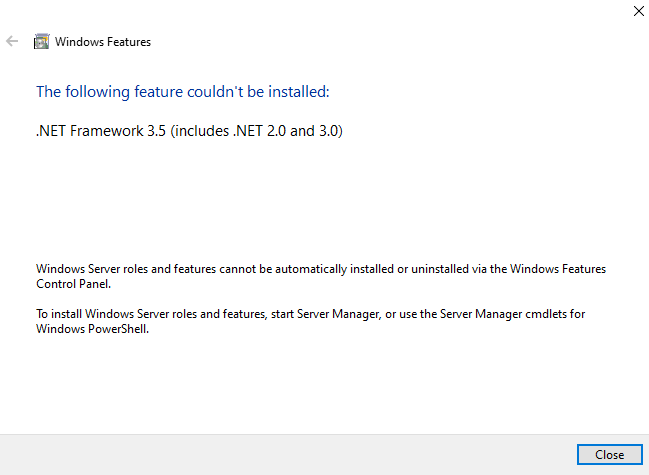
Install-WindowsFeature NET-Framework-CoreIIS Metabase Explorer
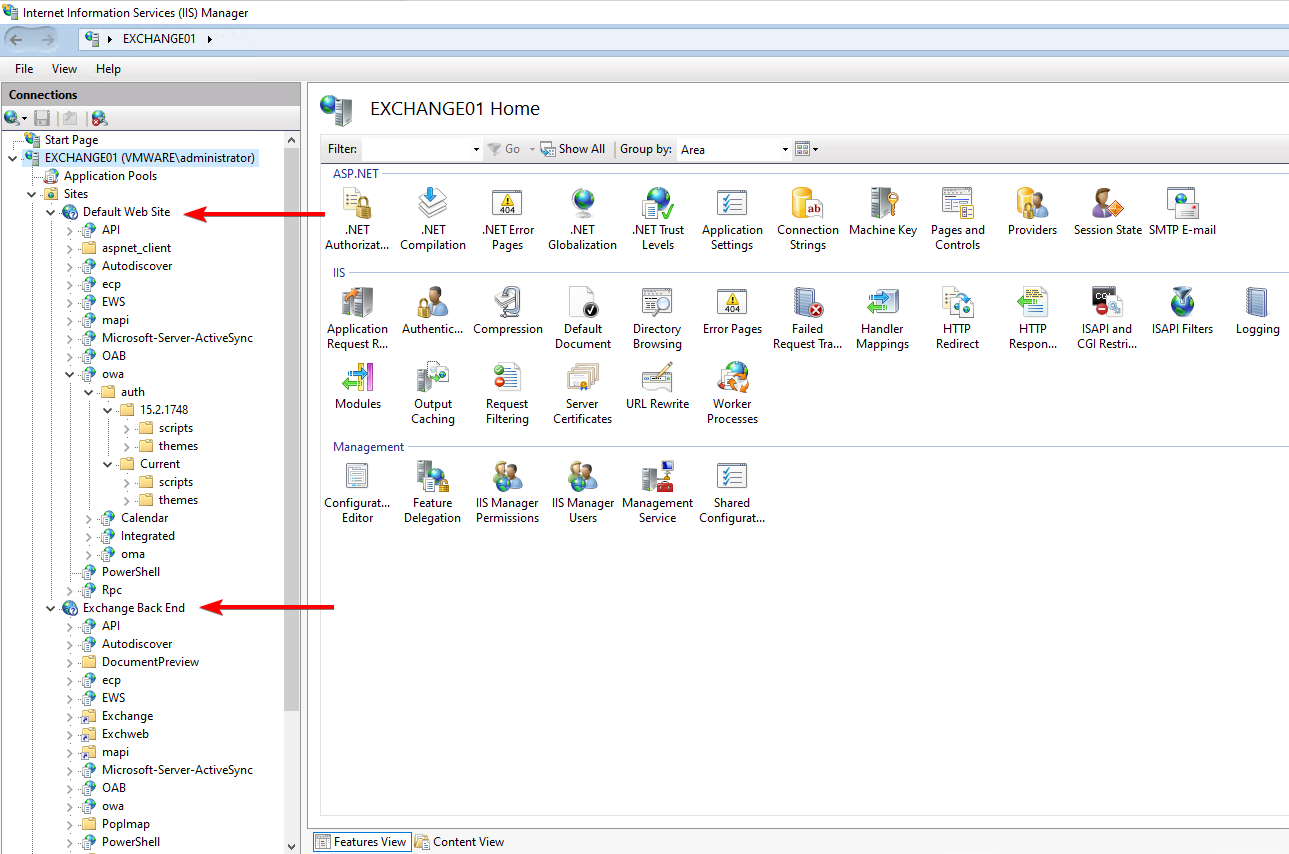
Internet Information Services (IIS) Manager
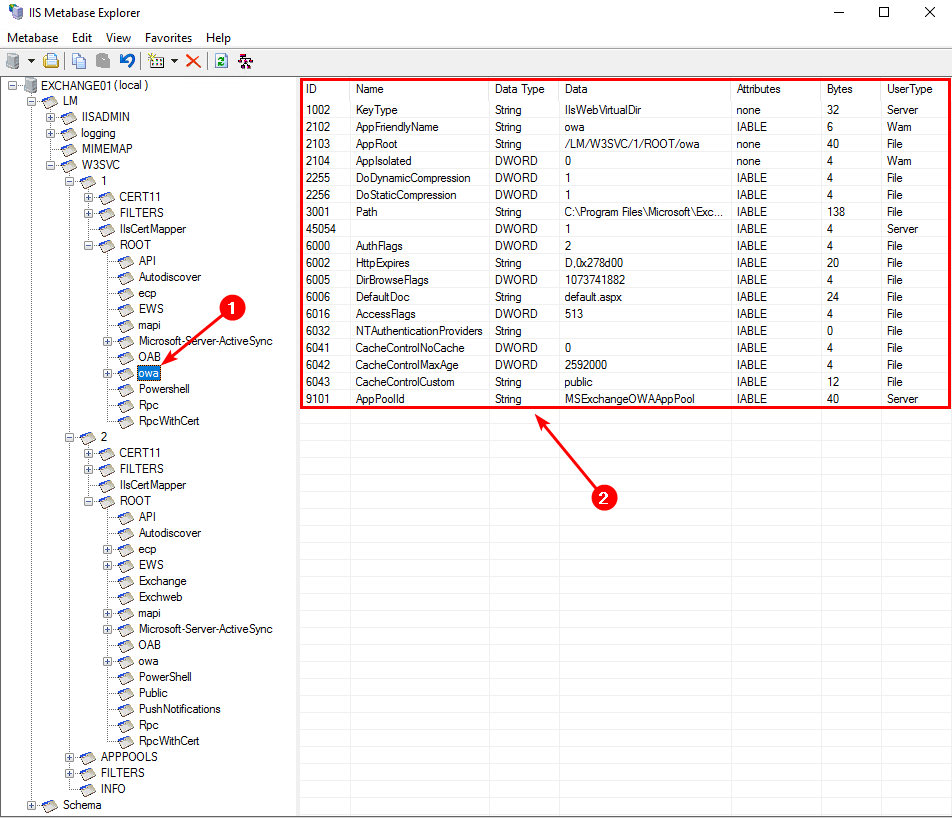
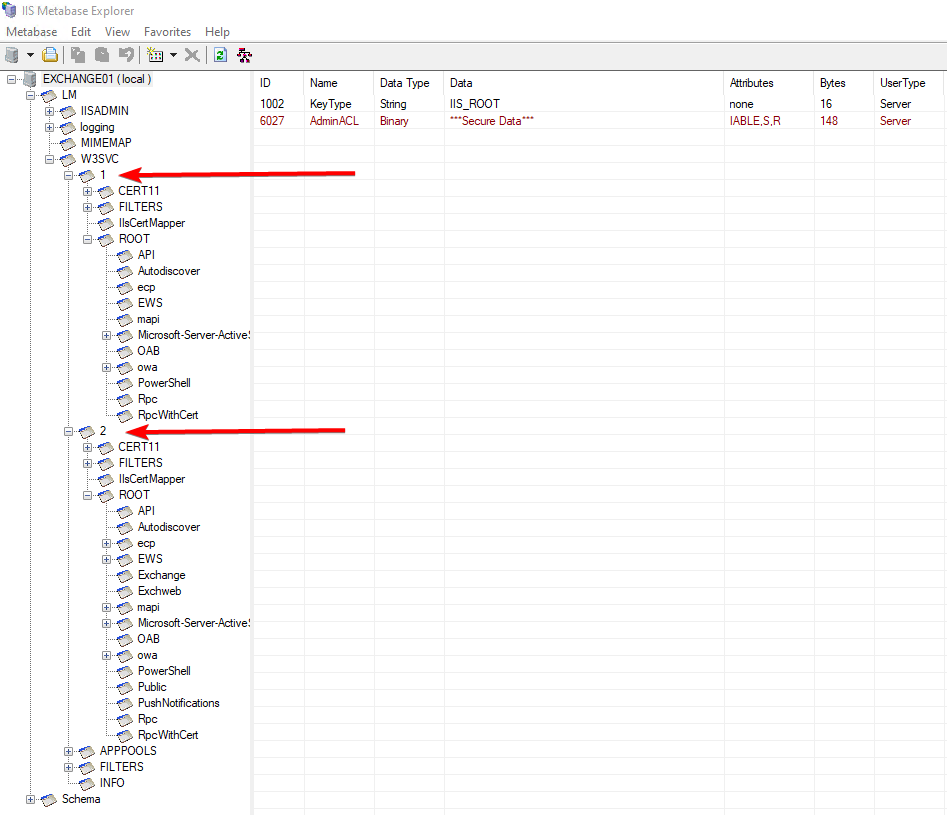
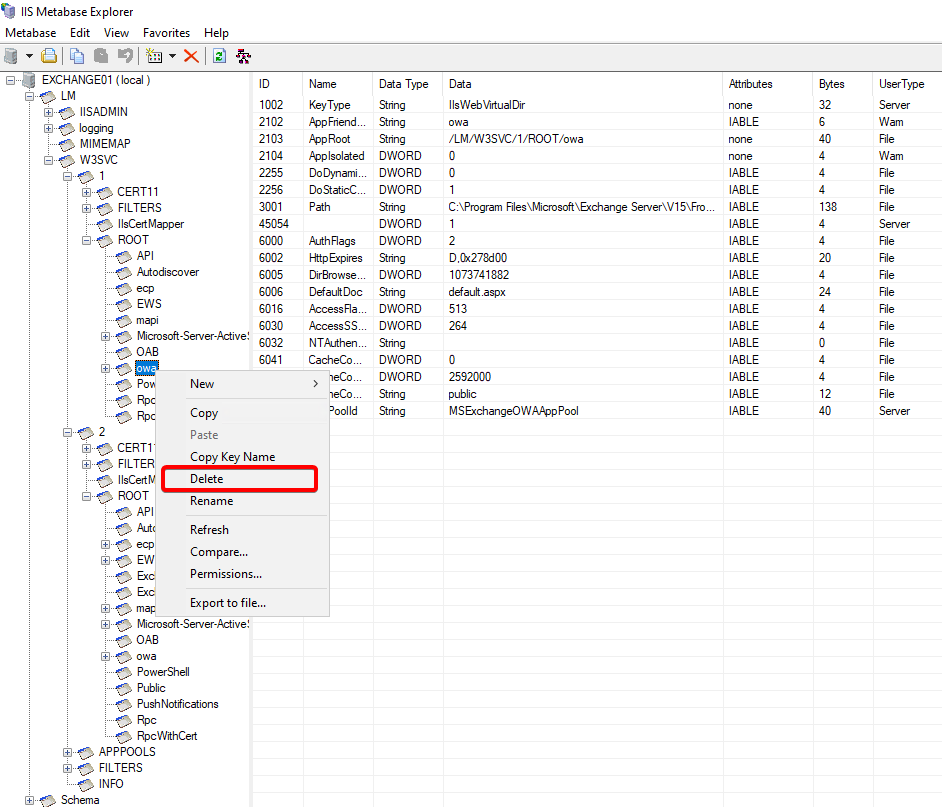
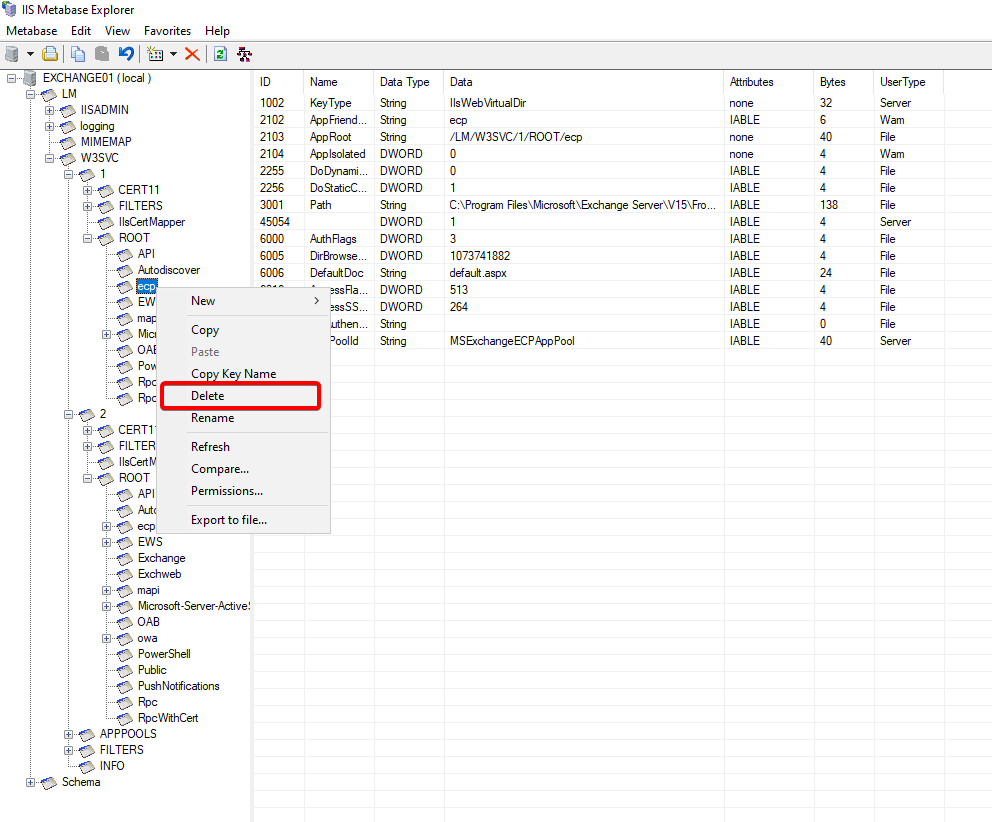
Remove owa/ecp from IIS Metabase Explorer
Go to the path: /LM/W3SVC/1/ROOT/owa/. Right-click on owa and click Delete.
Go to the path: /LM/W3SVC/1/ROOT/ecp/. Right-click on owa and click Delete.
Run the OWA virtual directory recreation cmdlet. The previous error will be resolved. Finally, restart the IIS services to finalize the configuration.
New-OwaVirtualDirectory -Server "EXCHANGE01" -InternalUrl "https://mail.linuxpro.com.tr/owa" -ExternalUrl "https://mail.linuxpro.com.tr/owa"New-EcpVirtualDirectory -Server "EXCHANGE01" -InternalUrl "https://mail.linuxpro.com.tr/ecp" -ExternalUrl "https://mail.linuxpro.com.tr/ecp"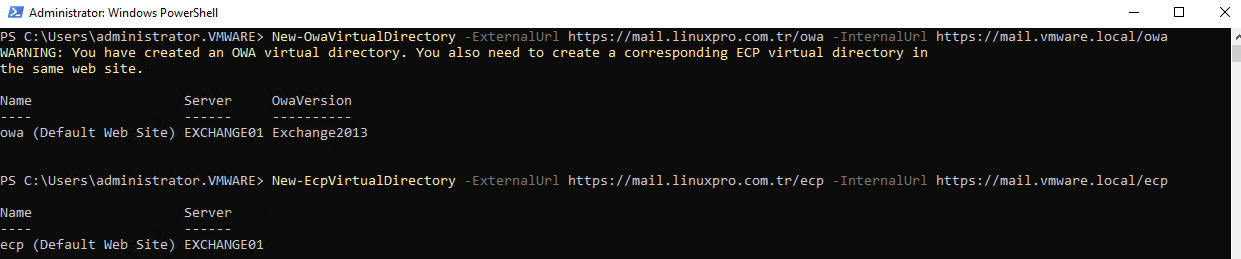
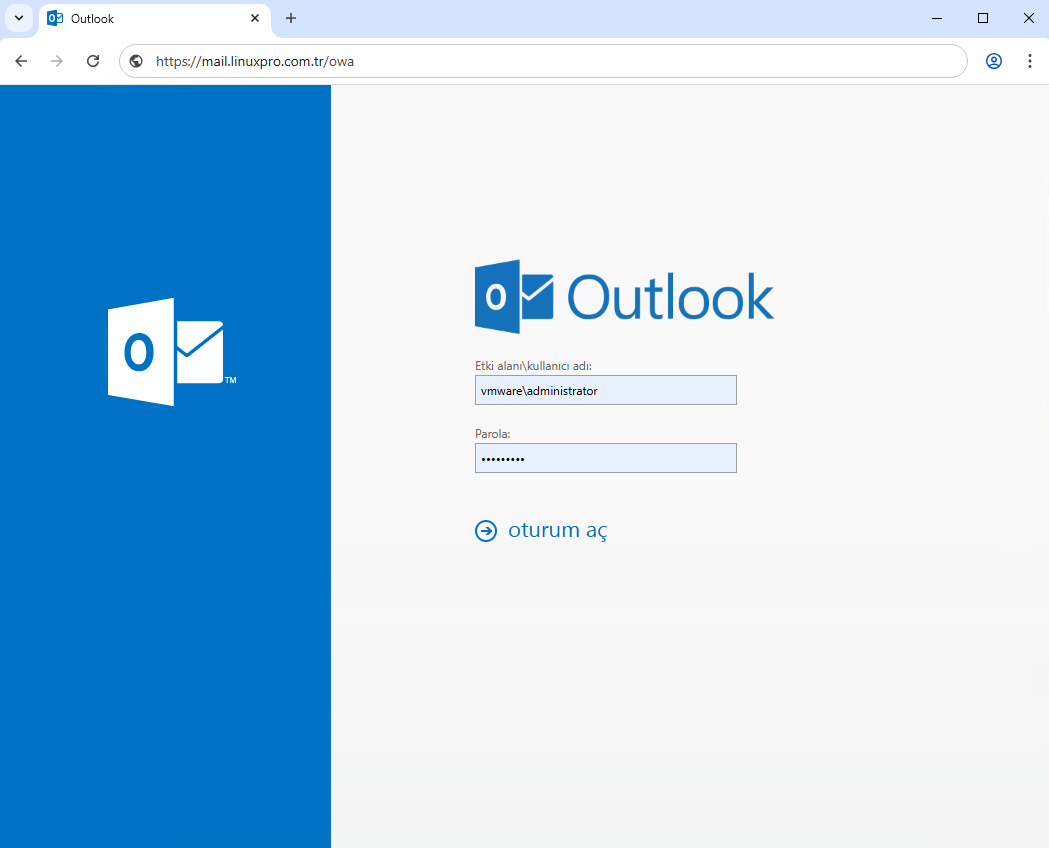
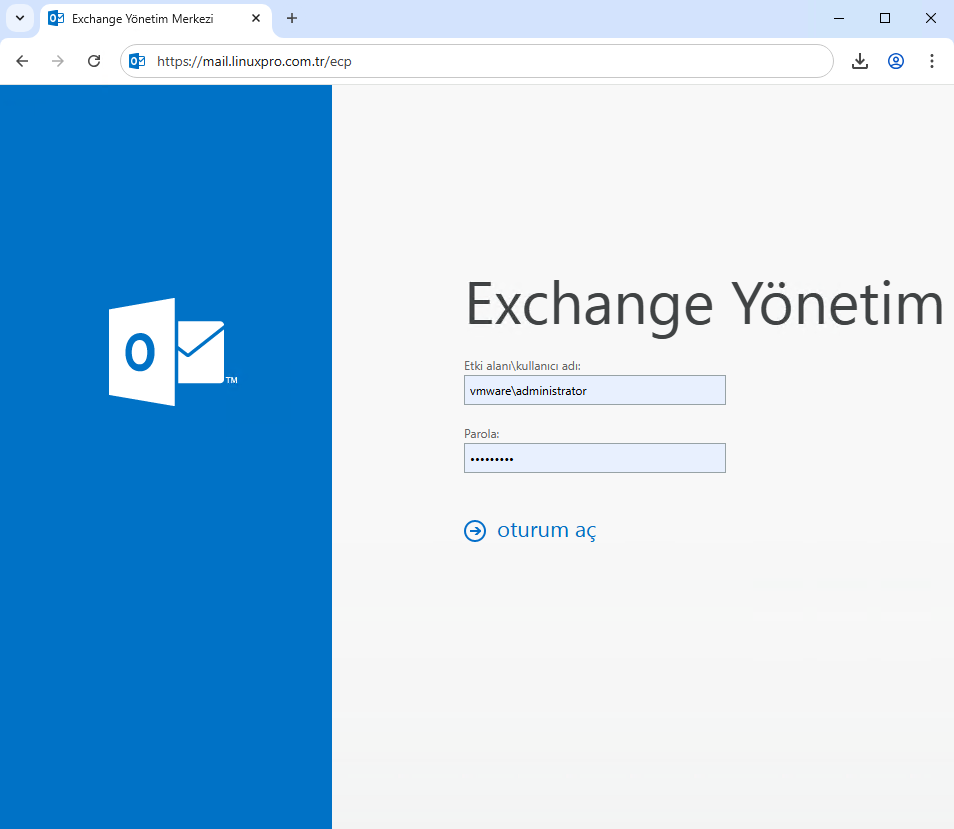
Confirm that OWA is fully operational.
Validation: Ensure the data is present and recreated in IIS Metabase Explorer.